Metronome: Tempo & BPM Counter
Continue to app
Free Version
Publisher Description

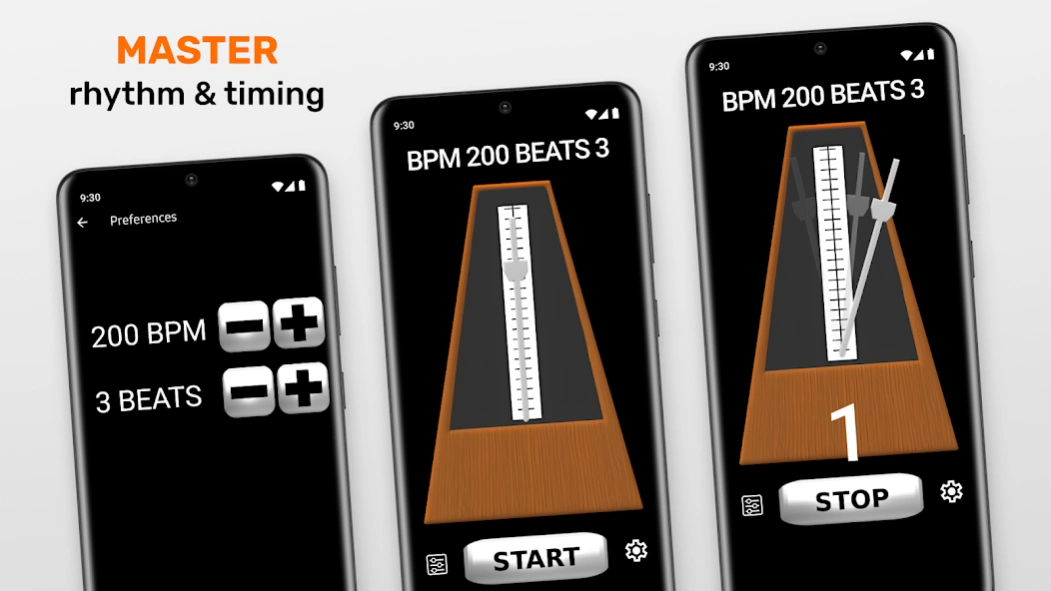

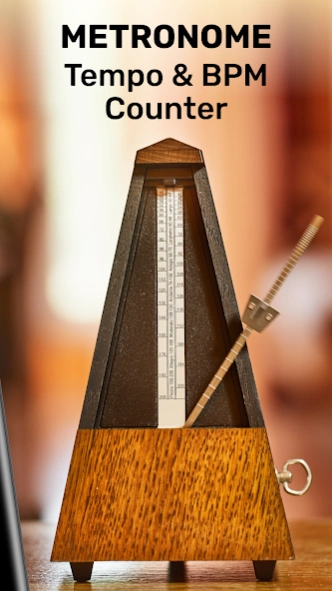
Metronome: transform your music skills with an accurate Metronome and tuner app!
🕰️🎶Metronome: Tempo and BPM Counter - Master Your Rhythm🕰️🎶Metronome app is your ultimate rhythm training companion.🎵🎼
This powerful Tempo practice and BPM Counter app combines the essential tools for improving timing and consistency, helping you quickly refine your skills.
With features like the bpm counter, metro timer, and lifelike metronome beats, you can transform your tempo practice and unlock your musical potential.
Core Features Designed for Musicians
🎶
Customizable Beat Tempo:
Adjust the beat tempo to suit any song or style, from a slow 40 BPM to a rapid 208 BPM. Metronome: Tempo and BPM Counter gives you complete control over your speed.
🎶
Accurate BPM Counter:
The built-in bpm counter ensures that you’re always practicing at the precise pace. Monitor your progress as you work on your favorite pieces, building confidence in your timing and rhythm.
🎶
Reliable Metro Timer:
Keep your practice sessions on track with the intuitive metro timer, designed to help you maintain consistency and precision. This feature is handy for tackling challenging rhythms and complex compositions.
🎶
Realistic Metronome Beats:
Enjoy the sound of authentic metronome beats, replicating the experience of a traditional metronome. These high-quality beats are reliable, precise, and ideal for solo or group practice.
🎶
Integrated Metronome Tuner:
Fine-tune your instrument effortlessly with the built-in metronome tuner. Combining tuning and timing tools in one tempo practice app, Metronome - Tempo streamlines your practice routine and ensures flawless sessions.
Metronome: Tempo and BPM Counter Stands Out!
Metronome - Tempo is more than just a practice tool; it’s an essential resource for musicians aiming to improve their craft. Whether you’re a pianist, guitarist, violinist, or drummer, this app supports you at every step of your journey. With features like the bpm counter and metro timer, you’ll develop consistent timing, making your performances more polished and professional.
This Metronome: Tempo and BPM Counter app is perfect for tempo practice, helping you strengthen your sense of rhythm while offering tools to keep you motivated. By combining customizable beat tempo settings with lifelike metronome beats, you’ll feel inspired to push your musical limits. Adding the metronome tuner means you’ll always stay in tune, whether practicing alone or preparing for a performance.
Built for Musicians of All Levels
Metronome: Tempo and BPM Counter is built for musicians of every skill level. Beginners will appreciate the easy-to-use interface and straightforward controls. At the same time, professionals will love the precision and versatility of tools like the metro timer and bpm counter. Whether learning primary rhythms or tackling advanced pieces, this app grows with you, making it a lifelong companion.
Enhance Your Practice Routine Today
Achieving consistent timing doesn’t have to be a challenge. With Metronome - Tempo, you’ll have everything you need for effective tempo practice in the palm of your hand. From the customizable beat tempo settings to the reliable metronome beats, this app is designed to help you reach your goals. The integrated bpm counter and metro timer keep your sessions structured, while the metronome tuner ensures you’re always in tune.
Download Metronome - Tempo today and take the first step toward mastering your rhythm, improving your skills, and enhancing your musical journey!
About Metronome: Tempo & BPM Counter
Metronome: Tempo & BPM Counter is a free app for Android published in the Audio File Players list of apps, part of Audio & Multimedia.
The company that develops Metronome: Tempo & BPM Counter is Beat Blend Labs. The latest version released by its developer is 1.0 .
To install Metronome: Tempo & BPM Counter on your Android device, just click the green Continue To App button above to start the installation process. The app is listed on our website since 2024-10-29 and was downloaded 27 times. We have already checked if the download link is safe, however for your own protection we recommend that you scan the downloaded app with your antivirus. Your antivirus may detect the Metronome: Tempo & BPM Counter as malware as malware if the download link to oops.metronome is broken.
The company that develops Metronome: Tempo & BPM Counter is Beat Blend Labs. The latest version released by its developer is 1.0 .
To install Metronome: Tempo & BPM Counter on your Android device, just click the green Continue To App button above to start the installation process. The app is listed on our website since 2024-10-29 and was downloaded 27 times. We have already checked if the download link is safe, however for your own protection we recommend that you scan the downloaded app with your antivirus. Your antivirus may detect the Metronome: Tempo & BPM Counter as malware as malware if the download link to oops.metronome is broken.
How to install Metronome: Tempo & BPM Counter on your Android device:
- Click on the Continue To App button on our website. This will redirect you to Google Play.
- Once the Metronome: Tempo & BPM Counter is shown in the Google Play listing of your Android device, you can start its download and installation. Tap on the Install button located below the search bar and to the right of the app icon.
- A pop-up window with the permissions required by Metronome: Tempo & BPM Counter will be shown. Click on Accept to continue the process.
- Metronome: Tempo & BPM Counter will be downloaded onto your device, displaying a progress. Once the download completes, the installation will start and you'll get a notification after the installation is finished.
Program Details
System requirements
Operating systems
Android
Download information
File size
N/A
Total downloads
27
Pricing
License model
Free
Price
Version History
Here you can find the changelog of Metronome: Tempo & BPM Counter since it was posted on our website on 2019-10-25. The latest version is and it was updated on Soft112 on 15 October, 2026. See below the changes in each version:
